


Statman
-
Posts
1,525 -
Joined
-
Last visited
Content Type
Profiles
Toronto Blue Jays Videos
2026 Toronto Blue Jays Top Prospects Ranking
Toronto Blue Jays Free Agent & Trade Rumors, Notes, & Tidbits
Guides & Resources
2025 Toronto Blue Jays Draft Pick Tracker
News
2026 Toronto Blue Jays Draft Tracker: Picks & Bonuses
Forums
Blogs
Events
Store
Downloads
Gallery
Everything posted by Statman
-
I'm a big fan of the new fielding in RTTS.
-
You are in for a treat. Played a game today with the dome open and the lighting was amazing with the transition from evening to night.
-
Here you go. The game is awesome BTW.
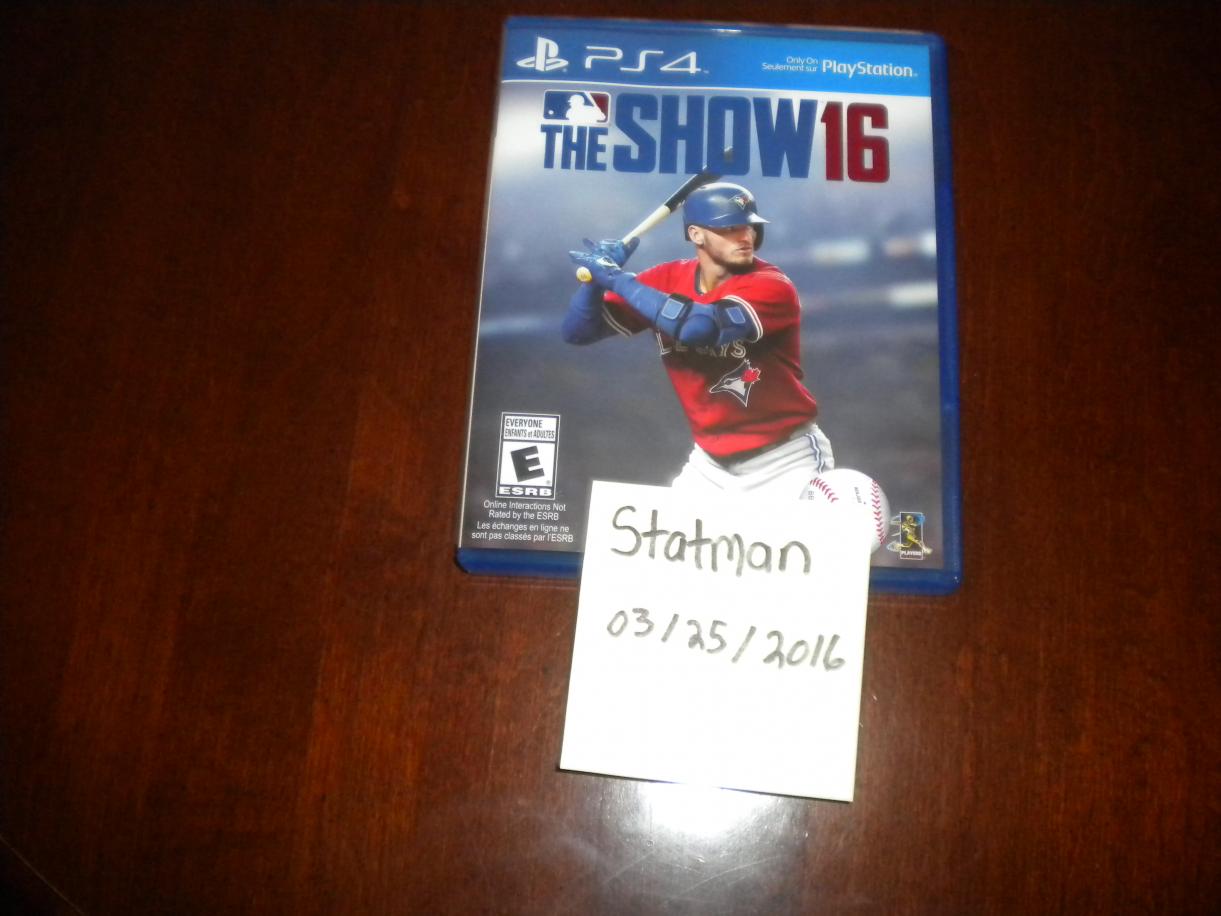
-
This isn't a pre-order message. It is an email of the DLC you get after you receive delivery of the game. I'll post a pic of the game in about 15 mins.
-
The Amazon Video Games team thanks you for purchasing "MLB 16 The Show”. Your purchase has qualified you to receive additional digital content. REDEEM YOUR CODE CLAIM YOUR DELUXE EDITION CONTENT! Use the code to unlock your MLB 16 The Show Pre-order DLC. Redeem your code on PlayStation Network. Your purchase has qualified you to receive additional digital content. To download your content: On the PS4 Dynamic Menu, go to the PlayStation Store icon. Highlight "Redeem Codes" and press the X button. Here you will be able to enter your code. Once the code is entered press the X button to Continue. Now you will see the item for redemption. Highlight the confirm option and press the X button. A Message will appear that the code has been redeemed, press the X button on "OK". The content will now show under the "Library" option. This offer is subject to Terms and Conditions. Thanks again for shopping with us. Why would Amazon send me the DLC then? I omitted the code obviously.
-
I can't even recall the last game I purchased at EB Games. It was like a decade ago...lol
-
Which begs the question why would you pre-order the game?
-
The day one patch is already out according operation sports.
-
I can officially confirm that I received my copy of MLB 16: The Show from Amazon. God bless Amazon Prime and the Roman Catholic Church.
-
Getting my copy of The Show today. Pre-order, Amazon Prime member. Later suckers!
-
Really nice play by Tulo but if it was the regular season that would have been reviewed and he would have been called safe.
-
Jays active talks with Fernando Rodney
Statman replied to Angrioter's topic in Toronto Blue Jays Talk
Encarnacions flexing, Bautista's bat flips, dugout handshakes...the Jays are guaranteed to win the World Series of Celebrating for the 3rd straight year. -
Jays active talks with Fernando Rodney
Statman replied to Angrioter's topic in Toronto Blue Jays Talk
Gross. -
Shapiro: Upgrades planned for RC, grass not a top priority
Statman replied to G-Snarls's topic in Toronto Blue Jays Talk
Not without getting shredded by barbed wire fencing, dogs and a shotgun. -
Shapiro: Upgrades planned for RC, grass not a top priority
Statman replied to G-Snarls's topic in Toronto Blue Jays Talk
The biggest concern is the large scale medical marijuana operations that are now popping up in residential areas. The one nearest to my home emanates an extremely potent "skunk" smell in about a 1km radius (depending on the wind) when I drive by it. Can only imagine what it is doing to the property values. It is like walking outside your home after a direct spray from a skunk on your property but 24 hrs a day 365 days a year. -
ABSOLUTELY!!! A very real possibility.
-
Josh Donaldson on main cover of MLB The Show 16
Statman replied to Jonn's topic in Toronto Blue Jays Talk
Same goes for road to the show. The salaries are even more undervalued in that mode. -
Josh Donaldson on main cover of MLB The Show 16
Statman replied to Jonn's topic in Toronto Blue Jays Talk
BTW one of the bright spots of MLB: The Show is the player models and that one of Josh Donaldson looks very disappointing for the 2016 release. -
Josh Donaldson on main cover of MLB The Show 16
Statman replied to Jonn's topic in Toronto Blue Jays Talk
2k's gameplay was actually excellent with the pitching mechanic being superior to even what the show uses today. However, everything else with 2k baseball was garbage. Like with every sports game now the higher difficulties against the CPU are impossible for me which hurts it's replay value. -
David Price Signs 7 year deal with Red Sox
Statman replied to HERPDERP's topic in Toronto Blue Jays Talk
I guess dumnbrowski didn't learn his lesson with Verlander. -
Watching Moneyball on cable. They made him look like an idiot. "I tried to convince Shapiro but said he waddled like a duck".
-
Neither am I. We have 3 pitchers (Dickey, Happ and Chavez) in the rotation that do not translate well to the AL East and one pitcher (Estrada) that could implode at any second on what could have been just a fluke year with the lack of HR's he gave up. It is going to be a disaster.
-
Jesus, that is a terrible rotation.
-
Which team won the Byung-Ho Park bidding?
Statman replied to magits's topic in Toronto Blue Jays Talk
If that is true then he is not an idiot. He might play one on the internet though. It is difficult to stay in the Bachelors of Mathemetics program. Waterloo tends to weed people out very quickly out of that program. True idiots with degrees come from the social sciences specifically those in Economics in my experience. -
Which team won the Byung-Ho Park bidding?
Statman replied to magits's topic in Toronto Blue Jays Talk
I have a Theoretical Physics degree.
